AEM → WEBFLOW ENTERPRISE
Enterprise requirements. Without the AEM overhead.
Adobe Experience Manager was built to run enterprise digital experience at enormous scale. Many enterprise marketing websites never needed all of it. Craft&Crew helps you work out what your AEM implementation is really doing, what your marketing site actually needs, and whether Webflow Enterprise is the better way to run it.


Enterprise experience on both sides of the decision.
NEARLY 20 YEARS
Designing, building, and running websites for complex organizations
700+
Enterprise web projects
WEBFLOW ENTERPRISE
One of Webflow's select Enterprise Premium Partners
REGULATED SECTORS
Banking, payments, and telecom clients, where governance is not optional
LET'S BE FAIR
AEM isn't the problem.
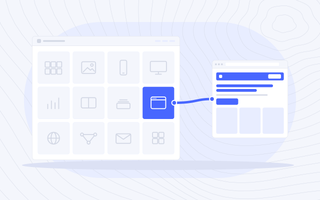
Adobe Experience Manager is one of the most capable digital experience platforms there is. It runs hundreds of sites from a single blueprint, manages assets at scale, feeds content to apps and screens as well as websites, and connects deeply into Adobe Analytics and Adobe Target.
If your organization uses that depth, AEM may be exactly the right platform. The question is narrower: does your marketing website need all of it? Many enterprise marketing sites run on AEM because the wider organization chose Adobe, not because the website needed an enterprise DXP. That is where the cost and the waiting come from.
AEM AS A CLOUD SERVICE OR WEBFLOW ENTERPRISE?
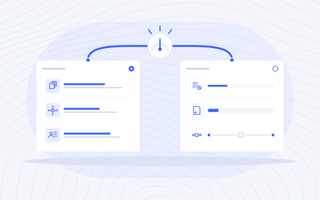
Move when the operating model stops fitting, not when the renewal arrives.
If your teams rely on multi-site management, headless delivery to other channels, or personalization running across hundreds of pages, staying on AEM, or moving to AEM as a Cloud Service, may be the right answer.
If routine marketing changes wait on Java developers and a release pipeline, if most of the licence pays for capability the website never uses, or if a systems integrator is part of every content change, the case for a different platform gets stronger.
Our first step isn't recommending Webflow. It's understanding whether you should leave AEM at all.
UNDERSTAND IT FIRST
An AEM migration isn't a content export.
A mature AEM implementation carries years of decisions about components, content, assets, sites, and the Adobe tools connected to it. Before anything moves, we need to understand what it is actually doing.
Components and templates
Custom components, editable templates and policies, client libraries, and the back-end code behind them, including the components nobody remembers building.
Content and fragments
Pages, Content Fragments, Experience Fragments, tags, and the relationships between them, including content reused across many pages.
Assets and media
The DAM, renditions, metadata, and usage rights. Assets often serve far more than the website, which changes what should move and what should stay.
Sites and languages
Blueprints, live copies, language copies, and translation workflows. Inheritance that keeps dozens of sites in step has to be understood before it is replaced.
Personalization and measurement
Adobe Target activities, Adobe Analytics tracking, the data layer, and tag management, plus which of those activities are still running and still earning their keep.
Infrastructure and release
Environments, deployment pipelines, the dispatcher and CDN, and the developers or integrator required to ship a change and keep everything running.
REPLATFORM. DON'T REPLICATE.
Don't rebuild AEM in Webflow.
If we reproduce every component, template, live copy, and workflow exactly as it exists in AEM, we have missed most of the value of replatforming.
Instead, we ask:
Which components are actually in use, and on how many pages? Which sites still need to inherit from a blueprint? Which personalization activities are running, and which were set up once and forgotten? Does the DAM need to move, or only the website? Which Adobe tools should stay in the stack? What can now become native to Webflow? What shouldn't migrate at all?
The goal isn't to make Webflow behave like AEM. It's to design a better web operation.
A DIFFERENT OPERATING MODEL
You don't have to leave Adobe to leave AEM Sites.
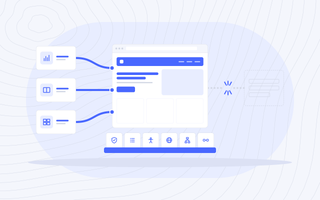
AEM is often one product in a larger Adobe investment. Moving your marketing website to Webflow Enterprise doesn't mean giving up the rest. Adobe Analytics can keep measuring the site, Adobe Target can keep testing it, and your DAM can keep serving the brand, if each one is still earning its place.
What changes is who runs the website. Security, governance, accessibility, localization, structured content, and integrations stay. The developer queue for routine marketing work goes.
THE BUSINESS CASE
The licence is the cost you can see.
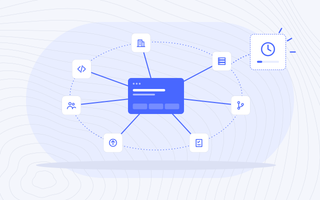
The rest of the cost of AEM sits in the operation around it: specialist developers, integrator retainers, environments and release management, QA and regression testing, upgrades, and the internal people who coordinate it all.
And there is the cost that rarely appears in the technology budget: what does it cost when marketing has to wait?
We'll model your current AEM operating cost against a future-state Webflow Enterprise model over three years, including both the direct technology costs and the people required to run each.
MIGRATION METHODOLOGY
How an AEM migration runs
01. Understand the AEM environment
Inventory components, templates, content and fragments, assets, sites and language copies, Target activities, Analytics tracking, integrations, URLs, and dependencies.
02. Separate requirements from platform habit
Determine what the business needs, what exists only because AEM made it possible, and what doesn't need to make the trip.
03. Decide what stays in the Adobe stack
Agree which tools keep running alongside the new site, such as Analytics, Target, or the DAM, and how each one connects.
04. Architect the Webflow future state
Define Collections, references, components, localization, permissions, integrations, governance, and the new publishing model.
05. Map and migrate
Build explicit mappings from AEM structures to the Webflow architecture. Use automation and AI where they improve speed and accuracy; keep experienced people responsible for judgement.
06. Protect search equity and measurement
Map URLs, redirects, canonicals, metadata, structured data, and internal links, and validate that analytics and tracking still report correctly before cutover.
07. Cut over, monitor and optimize
Launch against a controlled plan, validate immediately, and watch search performance, analytics, and critical integrations closely after cutover.
ENTERPRISE MIGRATION
"We'll fix it after launch" isn't a strategy.
AEM sites are rarely small, and the mistakes are rarely contained. A missed redirect can erase years of search equity. A lost tracking call can leave a quarter of reporting blank. A broken inheritance assumption can affect every regional site at once. A permissions gap can create a governance problem on day one.
That is why our process puts most of its effort into planning, validation, and QA before launch. We specialize in no-fail mandates: projects where the website matters too much for mostly right to be good enough.
MIGRATION IS DAY ONE
Getting off AEM isn't the goal.
Building a better-performing web operation is. Once the new Webflow platform is live, the same Craft&Crew team can help you improve how it runs: search and AI visibility, conversion optimization, analytics, and ongoing design and development. Roughly half of Craft&Crew is our in-house demand generation and paid media practice.
We don't measure a migration by whether every page arrived. We measure it by what your organization can do once it gets there.
Built for regulated and complex sectors.
AEM to Webflow Migrations.

Banking & Financial Services
AEM is common in financial services because governance mattered. The migration keeps approval workflows, audit trails, accessibility conformance, and data handling documented before the first page moves.

Telecom & ISPs
Many brands, many regions, and product pages that change weekly. We plan what replaces blueprint inheritance so regional sites stay consistent without a release cycle.

SaaS & AI
A website that has to move at the speed of the product. Marketing ships launch pages and experiments directly instead of queueing behind component development.

B2B
Long buying cycles and campaigns that cannot pause for a replatform. We migrate around the campaign calendar and keep tracking intact so pipeline reporting never goes dark.
Common questions
Should we move to AEM as a Cloud Service or to Webflow Enterprise?
There isn't a universal answer. If your organization relies on AEM's multi-site management, headless delivery, or deep Adobe integration, moving to AEM as a Cloud Service may make sense. If your marketing website mainly needs governed publishing, structured content, and speed, Webflow Enterprise deserves serious consideration. We model both before recommending either.
Can Webflow Enterprise replace AEM?
For many enterprise marketing websites, yes. Not universally. AEM can support omnichannel content delivery, very large multi-site networks, and application-like functionality that may not map responsibly to Webflow. We identify those requirements early and decide whether they can be simplified, handled through integrations, or mean AEM remains the better platform.
Can we keep Adobe Analytics and Adobe Target?
In most cases, yes. Both can run on a Webflow site through your tag management setup. We validate tracking and active tests as part of QA, so reporting and experiments continue through the move. Whether each tool still earns its place is a separate decision, and we can help you make it.
What happens to our assets in AEM?
It depends on what else the DAM serves. If assets feed other channels and teams, the DAM often stays and the website connects to it. If the website is the main consumer, assets can move with the migration. We decide based on how assets are used, not on what is easiest to move.
What happens to our multi-site setup and language copies?
We map how inheritance and translation work today, then design the Webflow structure around what the business needs, using Webflow's localization and a shared design system to keep sites consistent. Very large multi-site networks need careful architecture, and we will tell you if that changes the recommendation.
Will we lose our organic rankings?
Any significant replatform carries SEO risk, and no responsible migration partner should promise otherwise. We minimize it through detailed URL mapping, redirects, metadata preservation, structured data, internal-link analysis, pre-launch crawling, and close post-launch monitoring.
How long does an AEM to Webflow migration take?
It depends on the number of sites and languages, components, integrations, assets, and governance requirements. Automation and AI can accelerate repetitive migration work, but we won't set a timeline before we understand the environment.
Still weighing AEM?
We'll look at your AEM implementation, what it costs to run, and which Adobe tools are earning their place, then map what a future on Webflow Enterprise could look like.
If the move creates a meaningfully better web operation, we'll show you why. If it doesn't, we'll tell you that too.